I hope you enjoy reading this blog post. If you want my team to just do your marketing for you, click here.
I hope you enjoy reading this blog post. If you want my team to just do your marketing for you, click here.
Author: Jeremy Haynes | founder of Megalodon Marketing.
Earnings Disclaimer: You have a .1% probability of hitting million-dollar months according to the US Bureau of Labor Statistics. As stated by law, we can not and do not make any guarantees about your own ability to get results or earn any money with our ideas, information, programs, or strategies. We don’t know you, and besides, your results in life are up to you. We’re here to help by giving you our greatest strategies to move you forward, faster. However, nothing on this page or any of our websites or emails is a promise or guarantee of future earnings. Any financial numbers referenced here, or on any of our sites or emails, are simply estimates or projections or past results, and should not be considered exact, actual, or as a promise of potential earnings – all numbers are illustrative only.
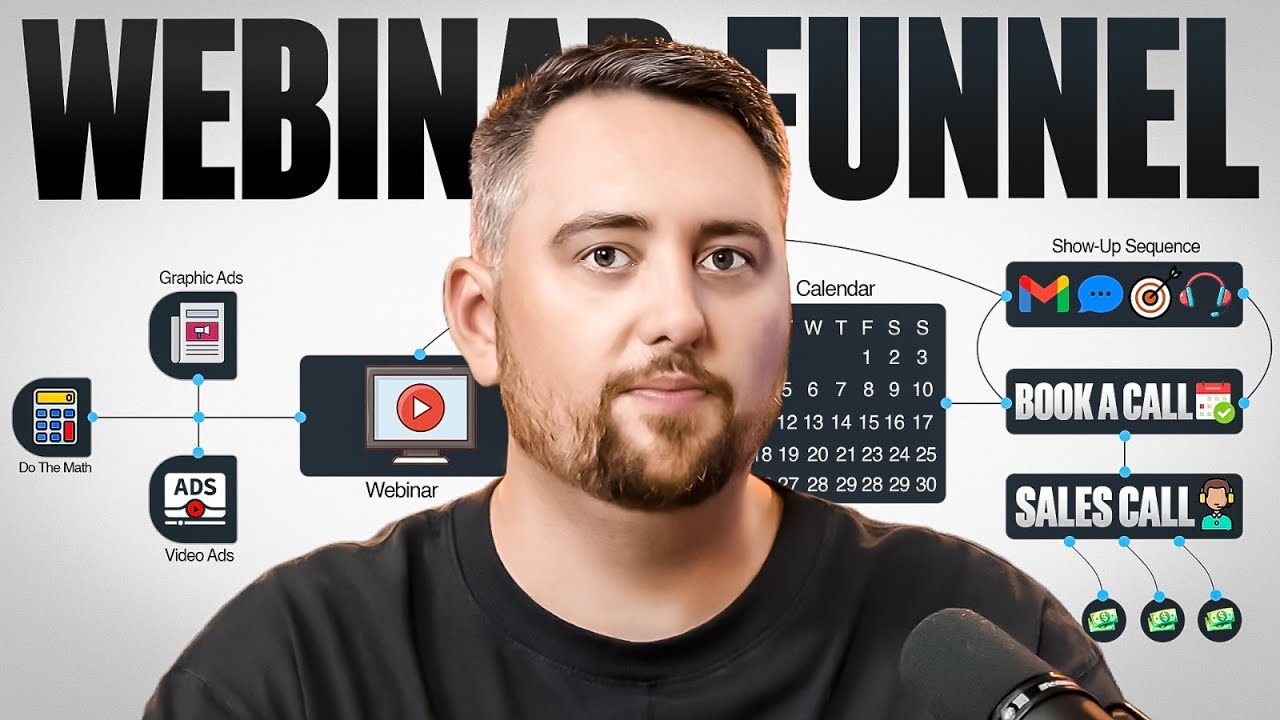
Most people have no clue what they’re doing when they launch a webinar.
When you try to actually make serious money on it, everything starts to fall apart. Or you’re one of those people who attempted to run them in the past, got absolutely nuked and vaporized your money, and haven’t tried again since.
I’m going to walk you through our step-by-step launch process. At a test budget, we usually spend somewhere between $25,000 and $50,000 per webinar. We want to make sure that goes right.
So we stack the probabilities through a process that makes our bets play out in our favor.
According to the US Bureau of Labor Statistics, the probability to hit $10 million a year is 0.1%. Let alone the even smaller probability to crack million-dollar months at $12 million a year.
No income claims. No earning potential. I’m just sharing what actually works.
If your business is already generating $100k+ per month, My Inner Circle is where you break through to the next level. Inside, I’ll help you identify and solve the bottlenecks holding you back so you can scale faster and with more clarity.
When we first get started on webinar promotion, we do some math. That’s where everything begins.
We crack open our webinar financial model in good old Google Sheets. We give this out to our Master Internet Marketing students and all of our Inner Circle members.
We use this exact sheet to determine how much we’re likely going to need to spend.
The very first thing we want to be conclusive about is exactly that – what’s an ideal test budget? What’s a number we can all stomach that if we do happen to vaporize it, no one’s going to be sad and crying?
We don’t want to be in that mental frame.
We want to make sure we spend enough though to have the numbers play out in our favor.
There’s a specific tipping point I’ve covered before. Below a certain threshold of spend – just by a couple dollars off – the webinar statistics will be random.
Above a certain level of spend, we rid ourselves of the randomness.
If you spend too little, the probabilities are all over the place for all these subsequent statistics. Cost per lead, show rate, close rates, booking rates – whether you’re doing direct to checkout versus a call booking funnel.
All kinds of randomness below a certain threshold of dollars spent.
We want to make sure we spend a little bit above what the bare minimum looks like with extremely conservative, worst-case scenario statistics.
Let’s look at what might be considered conservative from a statistic perspective.
$30 cost per opt-in – I’d say that’s very conservative. I’ve seen cost per opt-in to webinars substantially cheaper than that. Industry research shows webinar conversion benchmarks vary significantly by audience type and promotion strategy.
Usually for most people selling high ticket to a sophisticated, richer audience, you could be in the teens, sometimes even less. When you’re in the general public audience, it can be even lower.
$30 is very conservative.
Now, a show rate to a webinar at 30%. If this is an ice cold audience – people who have no idea who you are – a 30% show rate can absolutely be what you expect. Research indicates webinar attendance rates typically range from 35% to 45% of registrants.
But it might not be the very first webinar.
This is very important to understand. If you’ve already got a webinar and it’s dialed in, there’s a different set of statistics you can model. When it’s your very first one, you want to bias toward more conservative statistics.
I would tell you that about 10 to 15% for an ice cold audience should be your absolute bottom of the barrel, lowest show rate to expect.
If you wanted to model extremely conservatively, you’d throw 10% or maybe 15% into this equation.
From there, in this example, we’re doing a book-a-call rather than direct to checkout webinar. Generally, it’s somewhere between about 10 and 30%.
If you wanted to be extremely conservative, you’d bias toward the 10% benchmark. Once you get it dialed in, 30% should be your baseline.
But your webinar skills might be completely different and unpolished. You might suck at webinar.
If you’re really good at webinars and stage selling and you’ve consistently done these things for a while, bias up a little bit. If this is your first time or one of your first times, be more conservative and estimate around 10 to 15% until you dial in the webinar itself.
Call show rates – when you actually get people to book a call and then try to get them to show up, you should definitely expect a higher show rate from a webinar call booking.
If the webinar was executed successfully, especially if you’ve supplemented with back-end selling systems, 70% is about the norm. If you wanted to be conservative, you could go as low as 50 to 60%.
Close rate from a webinar – I would fire the heck out of a closer if they got less than a 30% close rate from webinar leads.
Webinar leads are layup deals.
However, some people suck at webinars and therefore might have a lower close rate. If that’s the case, you need to be more conservative.
I wouldn’t go lower than 20%. That’s insanely low for a close rate on a webinar lead, but you might suck at webinars and want to model even lower.
You’ve got your cash collected per sale – your AOV. Make sure you factor in the quantity of people that historically have done pay-in-fulls versus split pays.
Make sure you factor out if you’re going to push funding options. What you’re actually going to cash collect on average – that’s what you want to plug into that model.
From here, we have our sales team cost. We factor in how much overhead we’re going to have in commissions. We factor in our fixed costs that might come from delivering on the total quantity of people we close.
This model is intended to be both gross profit and true net profit. We want to see that ahead of time before we actually spend money on the webinar.
From there, we can reverse engineer and see how much we need to spend.
Once we actually have a number in mind and we’ve officially financially modeled out how our webinar is going to look before we actually spend money on it, we can get a very conclusive number about what we’re likely going to spend worst-case scenario statistic.
That’s the key.
Before you actually spend money, you want to figure out how bad the stats can be before you actually start losing money.
The quantity of people that have come to me that haven’t done any math in regards to financially modeling out worst-case scenario statistics – they just vaporize money willingly because they didn’t know how bad each statistic could be before it crossed into a threshold where it doesn’t even make sense to spend money.
They didn’t know when a specific statistic was in code red territory.
That’s why we always start with math.
Once you’ve done that math, you’re going to need to build some stuff out.
We need to create our assets and that includes a handful of things. We have the actual funnel itself – the funnel has an opt-in page, a confirmation page after they’ve opted in.
In addition to that, we’ll typically have the webinar itself. Most of the time, we’re using Zoom for the actual webinars nowadays. It’s the most stable and largest of all the platforms.
Typically has the best experience. More importantly than anything else, the people who are going to show up use Zoom all the time too.
In almost all instances, we don’t really need to build anything out for the actual webinar.
What we will need to build out once the webinar is done is a replay page.
From there, very important to note – during the webinar itself, if you’re doing a book-a-call process, you typically have an application page that will also have your scheduler on it. Then another confirmation page there.
In most instances, you’re going to have a checkout page where you actually cash collect. Then you’re going to have a purchase confirmation step.
These are all the typical funnel steps we’re going to need.
There’s obviously a handful of confirmation pages. If you’re new to the channel, I talk about this frequently – we call them back-end selling systems.
There’s four back-end selling systems in particular. Three of them don’t cost money, one of them does.
The one that costs money, we refer to as the hammer them strategy. It’s a very simple strategy.
The hammer them strategy – we’ll take the people who opt into a webinar or the people who book a call from our webinar. We can do hammer them strategies for both.
We’ll load up 30 to 50 short form pieces of content, 15 to 30 long form pieces of content. We’ll hammer the heck out of people who just opted into the webinar or who just booked a call.
That way we keep content in front of them in their newsfeed.
It’s extremely cost-effective. It typically impacts all those back-end stats successfully in a very positive way. Show rates, close rates, pay-in-full percentages, sales cycle timelines being condensed – very effective when done properly.
The other three that don’t cost money – one of them being the most important where you typically capture people at their peak interest – is our confirmation pages.
If our confirmation pages are dialed in, they’ll have a whole bunch of specific back-end selling system tactics involved. They’ll have these things called breakout videos. They’ll have testimonials that show best case scenarios, but more importantly, worst case scenarios.
In addition to that, we have value-dense email sequences. And of course, we have our setter best practices.
Setters getting involved inside of a webinar helps with the show rate dramatically.
For now, just understand we need to build a funnel.
In addition to the funnel, we need to go film some ads.
We typically prefer video ads comparatively to image ads for most of our webinars. However, we’ll also build some image ads too because I don’t want to be right – I just want to make money.
We’ll typically film nowadays at least 25 to 30 total video ads. In addition to that, we usually have another 25 to 30 image ads on standby.
This is very important you understand this.
Meta announced the Andromeda update. If your account has been impacted around the month of July, we noticed a substantial quantity of people seem to have been impacted by this. CPM shot up through the roof.
All the traditional best practices that you would have historically executed on just started to fail at a high rate.
When you look at the Andromeda best practices – I have a whole video on my channel dedicated to this algorithm update – it’s a specific step within the algorithm creative recommendation process.
It’s the first step. It sorts through all the different creatives that are available and tries to match it with the people who are probable to convert.
We launch and try to create this amount of creatives no matter what our spend is.
That’s the number one question I get from people – “Oh, I’m only going to launch at $100 a day” or “You’re spending $50K a day.”
You have to follow the Andromeda best practices. There’s not a smaller amount of creatives they let you launch with. You just have to do it nowadays.
Typically when we actually go to launch the campaign, we won’t launch with all of these. We’ll typically launch with about 25 to 30 and we’ll mix in some videos and some images.
We’re usually setting up with individual ads and we’re pairing it with dynamic copy – we can use five headlines, five pieces of body copy.
Once we actually get the video ads and the image ads created, we need the actual ad copy as well. Typically for the ad copy, we’ll have five headlines and we will have five pieces of body copy, otherwise known as primary text inside the Meta platform.
From here, we got a handful of things that we also need to create. We need an email sequence and ideally this follows the back-end selling systems best practices.
This should be a value-dense email sequence.
We have entire videos on my channel just dedicated to value-dense email sequences. Very simple to understand and articulate – we do not just do the reminder-based stuff.
We will do that, but we don’t just do that.
We’re trying to break down topics that people actually care to know about that increases the probability that they show up. We try to get them that information in a long form written email that’s going to get sent out to that person prior to them actually showing up to the webinar.
Makes a substantial difference to the overall show rate and it helps a lot.
Once we get the email sequence, we’ll also typically have some text.
One recent really interesting thing that we learned is we do not want to send the link to join the Zoom in the text.
We found that that nuked our overall call booking rate when we ran that test recently because a lot of people are showing up on their phones.
There’s a huge difference in the intent of a lead who’s watching a webinar when they show up and watch it on a device that’s not a phone. Think of watching it on your TV, your computer, desktop, laptop, even a tablet.
Phones – oh my gosh, show rate was technically higher, but our booking rate was terrible.
We concluded that was our only variable that changed. We concluded it was because of adding the Zoom link to the actual text message sequence.
Texts don’t need to be anything more than just reminders. In most instances, you can have some value-oriented communication that go out in a text sequence, but doesn’t need to be anything crazy.
Once you got your funnel, once you got your videos and your images, your ad copy, you got your email sequence, you got your text sequence – if you don’t have this, need I not say – you obviously need the webinar slides.
Once you get all of this created, you’re typically good to go and can get into the promotion cycle.
When you look at the actual promotion timeline of a webinar, there’s really two ways to look at it.
You have the launch period when you’re very first doing a webinar. Then you have you’ve already got it dialed in and you’ve got things figured out.
I’ll give you a great example of what that latter part means.
Got a client right now, their webinar, they’ve been doing weekly webinars for months now and we got that thing dialed in. I’m not going to promote that webinar at max. I’m going to do about 5 days out. I’m not promoting it longer than that.
I’m only going to promote it about 3 to 5 days out, ideally somewhere in that time frame.
If I have never launched a webinar for somebody before, I’m going to give myself a longer duration of time to promote it because it’s going to be a little more forgiving if I need to fix something and it’s not going to feel as high pressure.
Let me be really clear when I say this.
I’m going to promote a dialed-in webinar in that 3 to 5 day max promotion cycle before the webinar starts because my show rate’s going to be higher from getting people to opt in closer to when the webinar starts.
Versus when I promote a webinar upwards of 14 days out, those leads – you can quantify this by the way if you’ve ever run a webinar before, especially with AI.
Just take the creation date of each contact as it relates to 14 days out, 13 days out, 12 days out, 11 days out, etc., and map the individual show rate for those contacts.
You’ll see it yourself.
The people who opt in anywhere 48 hours out or longer typically have low show rates compared to the people that opt in 2 days before, one day before, or the highest being the day of.
My point is if it’s my first webinar, I’m giving myself roughly 10 to 14 days. That way when something inevitably with a high probability goes wrong, I got time to fix it.
If I need to refilm new ads, they’ve got to get edited. We typically just do standard talking head ads, jump cuts, captions – nothing crazy.
For image ads, it’s pretty much the headline of the actual page for the opt-in of the webinar or the topic of the webinar. We’re going to promote that in the image ads as well.
Moral of the story – if I’ve got 10 to 14 days out and something gets messed up, it is what it is. I’m going to have time to fix it.
If I do not have a dialed-in webinar process and I go to promote that thing and I’ve only got 3 to 5 days and something gets messed up, I am cooked. I don’t have time to do anything. I don’t have time to fix anything.
Be very mindful of that. If it’s new, it’s 10 to 14 days in most instances. If it is dialed in, it is typically a 3 to 5 day promotion cycle.
When I’m promoting it, all I’m doing is I’m just going back to my math. I’m looking at how much spend I have.
I’m also going to factor in – am I peppering in organic leads into this or am I just doing paid?
When it’s one of your first webinars, pushing anybody and everybody that you can to it is a good idea because you’re going to have a higher probability of being profitable, which is what you want to be able to justify the continuation of this new effort and initiative.
If I raw dog it and I just do cold paid advertising audiences, that’s good – if you’ve got more money that you can vaporize and still be seated in the casino to continue your gambling efforts to get profitable.
Very important that you get this part of this whole thing.
When I go to launch the creatives, if I have a paid audience and I’m going to pepper in organic, I’m going to duplicate the paid funnel. That means I’m now going to have two variations of opt-ins.
I’m going to have the paid version, I’m going to have the organic version.
That way I can individually track each specific audience, their behavior, their show rates, their close rates, the revenue attributed to them, etc.
Each set of these audiences is going to have completely different stats and you’re going to want to be able to delineate between the two so you know if you’re actually profitable or not and how bad your paid advertising stats were.
Once you get to the point where you’re in the middle of promoting everything, what matters most when you get into the promotion cycle is your cost per lead and your show rate.
Your job initially is to just get as many people as you can that are ideally qualified to go and opt into this thing for as cheap a cost per lead as you can possibly get. That way, your dollars are being spent efficiently.
In addition to that, you want to make sure that no tech is breaking.
There are a lot of different tech components to a webinar promotion cycle. I’ll give you a good one that we just ran into for a client literally this last week.
Our Zapier account hit the limit for the total amount of Zaps that could fire off relative to the plan that we had subscribed to. We caught it 4 hours before the webinar.
We noticed there was a couple hundred person discrepancy of opt-ins in the CRM. We were like, “What the heck is going on?” We went into Zapier. It was as simple as needing to upgrade the billing.
You got to be attentive to stuff like that.
Sometimes Zaps break, or whatever software you’re using that’s similar to Zapier. Check the tech.
We’ve had little stuff like a button on mobile not working on the opt-in page that nukes your cost per lead and your overall opt-in rate.
Simply put, if a stat looks miserably messed up, might be a tech issue.
If your stats look relatively messed up and can be improved in regards to considering your comparison to some other baseline benchmark – as an example, if an opt-in rate for a webinar is 1%, that’s tech issue territory.
If an opt-in to a webinar is like 10 to 15%, that opt-in rate just sucks and it can be improved from a CRO perspective.
You understand the differences?
If I see a couple hundred person discrepancy in tracking or quantity of people in the CRM versus what the back end of the funnel says for my stats – tech issue. Check the tech during the promotion cycle.
That happens an unbelievably frequent amount from what I’ve seen.
During the promotion cycle, there’s a few things that also are happening at the same time.
You got your emails going out. You got your text reminders going out. And you should have your setters dialing on the leads.
This combination of the emails, the texts, and the setters dialing on the leads – that can improve your show rate to a very high level in and of itself.
You should be in a minimum range of like the 20s to maybe even low 30s with just those three variables.
You want to juice it even further or at least just solidify the probability that you’re in that range? Factor in the back-end selling systems on top of that.
Dialed-in confirmation page. The email sequence has value-dense emails. The setters aren’t just reaching out and saying, “Hey, just want to make sure you show up.” They’re being value-oriented and following the setter best practices.
Fire off the hammer them strategy and get everybody who opts in absolutely blitzed with content prior to that webinar, getting them excited.
This combination ensures you have the highest show rate possible.
From there, you just got to execute a phenomenal webinar.
One thing that we do for all of our Inner Circle members and Master Internet Marketing students and of course our clients – we have this 72-page SOP called Mastering Webinars SOP.
This specific document contains several examples, literal recordings from top converting webinars from our clients and also from some of our Inner Circle members that have contributed theirs with their statistics.
In addition to that, it goes through the outline of what should be covered in the webinar. It goes through risk reversal sections to improve your overall conversion rate. It goes through examples of direct to checkout and call bookings.
It has everything that you need to actually execute all steps of what I’m communicating to you. But more importantly, the actual webinar itself.
Obviously, that’s the most important part once you get everybody to show up – is the webinar.
Just to be clear, we always do these live nowadays.
Live webinars, they work super hard, super OP.
We find that automated webinars have been nerfed. They suck. They’re doing absolutely terrible in direct comparison. Marketing research shows that between 20% and 40% of webinar attendees become qualified leads.
We’re talking taking webinars that have converted extremely well, trying to automate them – not working in comparison.
I could sit here and throw a whole slew of assumptions at you and opinions about why that’s the case, but I just need you to understand in a very matter-of-fact way – you’re going to want to do it live.
You’re not going to want to automate these.
Moral of the story, the actual webinar being produced – that is the most important part. Having dialed-in slides, having the right flow, having the right presenter.
You got to execute these webinars extremely well.
What you need to do – and we’ve talked about this on this channel before – bottleneck analysis is breaking down step by step from the advertising all the way over to the sales process.
What happened at each specific key statistic and which one might be contracted?
As an example, let’s say you get a really good cost per lead. You get a really good show rate, but then you get an absolutely terrible conversion rate for either the direct to checkout or for the call booking.
Well, that shows in that particular set of statistics that your webinar sucked.
And you need to redo the webinar.
Let’s say you have a really high cost per lead. You have a great show rate, a great conversion rate for the webinar, a great show rate to those calls you book, a great close rate, and a great AOV.
That means your opt-in page sucks.
That might be indicative of the actual page itself. It could also be indicative of the ads. You would check some of the advertising statistics in that example too – things like your link click-through rate, your CPMs, your retention in the video ads themselves.
My point is, it’s not random when a webinar doesn’t work.
It’s a very specific bottleneck. There’s some specific statistic within your KPIs that is contracted that if you put attention on it and open it up will obviously get a lot more money out the other side.
It’s not random. It’s not emotional. It’s just a specific contraction point that you must be attentive to, laser focus on, and attack.
So don’t act like webinars when they don’t work are some random act that made it so it didn’t make you money.
You messed it up somewhere in the process or maybe at multiple points in the process, weren’t aware of it and never went back and attacked that specific contraction.
Very important that you execute this successfully.
Once the webinar is done and you get to the point where you did it right, whether you did direct to checkout or whether you did your call booking – if you did a call booking one, you still have a few more steps.
You have the amount of people that are going to show up for those calls, the amount of people that are going to close, and what those closers on average are cash collecting per deal.
Those three stats have to be dialed in if you’re doing a call booking.
You got to make sure – just to reiterate – you have back-end selling systems as soon as somebody books from the webinar. Should be its own hammer them sequence, should be its own value-dense email sequence, should be its own confirmation page.
You can have the setters, same as you did on the front end, reach out to the people who booked the call, congratulate them, answer questions prior to the call and make it so the call has a higher probability to be a sales call rather than an education call.
Those deals should be layup deals. They should have as high of a close rate as upwards of like 40 to 50%.
30% is like the lowest that you want to tolerate in that set of statistics.
And obviously, a large percentage of these people, assuming they’re financially qualified, should be paying in full. If you do the webinar right, they should be paying in full, paying foss all day long. Should be raining deals.
Moral of the story, after you get to the point where the webinar is actually done, the calls have happened, the deals are closed – as soon as the webinar is over, ideally you baited people.
We talk about this inside of the Mastering Webinars SOP – was some kind of bonus for staying until the time of the pitch.
The time of the pitch statistic is extremely important. From the peak show rate to the time of the pitch itself, you want to have about an 80% retention.
That means 80% of the people that were there live at the peak show rate should still be there live during the time of the pitch.
When those people are still there, you want to bait them by saying, “Hey, I’ve got some bonuses that I’m going to send out right after this webinar concludes for the people that stay there with us live.”
Super pro tip. I’m pulling that out of the Mastering Webinars SOP for free for you here.
Make sure you execute that tip. It helps a lot with retention and people really look forward to those documents.
Moral of the story is once you get the webinar done, take the recording, throw it onto that replay page that we created in our asset creation phase of the webinar before we even started the promotional cycle.
Get that replay with an application embedded onto the page or a button right below that replay and get that thing fired off with the bonuses.
Also, send it to everybody who opted in whether they showed up or not and make as much as you possibly can off the webinar.
You want to milk the heck out of this thing.
We have another strategy called the popup event, but I’ll withhold that as well as many other tips I’m sitting here withholding for the people who actively pay us.
This isn’t theory. It’s the exact playbook my team has used to build multi-million-dollar businesses. With Master Internet Marketing, you get lifetime access to live cohorts, dozens of SOPs, and an 80+ question certification exam to prove you know your stuff.
I hope that you’ve enjoyed this. Go check out some of my other videos. There are several that go in-depth in each individual component of what we just talked about, and I would encourage you go check those out.
Go get richer.
Watch the video:

Jeremy Haynes is the founder of Megalodon Marketing. He is considered one of the top digital marketers and has the results to back it up. Jeremy has consistently demonstrated his expertise whether it be through his content advertising “propaganda” strategies that are originated by him, as well as his funnel and direct response marketing strategies. He’s trusted by the biggest names in the industries his agency works in and by over 4,000+ paid students that learn how to become better digital marketers and agency owners through his education products.

Jeremy Haynes is the founder of Megalodon Marketing. He is considered one of the top digital marketers and has the results to back it up. Jeremy has consistently demonstrated his expertise whether it be through his content advertising “propaganda” strategies that are originated by him, as well as his funnel and direct response marketing strategies. He’s trusted by the biggest names in the industries his agency works in and by over 4,000+ paid students that learn how to become better digital marketers and agency owners through his education products.

This site is not a part of the Facebook website or Facebook Inc.
This site is NOT /endorsed by Facebook in any way. FACEBOOK is a trademark of FACEBOOK, Inc.
We don’t believe in get-rich-quick programs or short cuts. We believe in hard work, adding value and serving others. And that’s what our programs and information we share are designed to help you do. As stated by law, we can not and do not make any guarantees about your own ability to get results or earn any money with our ideas, information, programs or strategies. We don’t know you and, besides, your results in life are up to you. Agreed? We’re here to help by giving you our greatest strategies to move you forward, faster. However, nothing on this page or any of our websites or emails is a promise or guarantee of future earnings. Any financial numbers referenced here, or on any of our sites or emails, are simply estimates or projections or past results, and should not be considered exact, actual or as a promise of potential earnings – all numbers are illustrative only.
Results may vary and testimonials are not claimed to represent typical results. All testimonials are real. These results are meant as a showcase of what the best, most motivated and driven clients have done and should not be taken as average or typical results.
You should perform your own due diligence and use your own best judgment prior to making any investment decision pertaining to your business. By virtue of visiting this site or interacting with any portion of this site, you agree that you’re fully responsible for the investments you make and any outcomes that may result.
Do you have questions? Please email [email protected]
Call or Text (305) 704-0094